Cloud-Based Equipment Tracking: Why It Beats On-Premise Every Time

If you are still running your equipment tracking on a local server or a spreadsheet locked inside the company network, this one is for you. Not to make you feel bad about it. Just to explain, plainly and honestly, why that approach is making your job harder than it needs to be.
The Problem With How Most IT Teams Track Equipment Today
Let us be honest about the typical situation. The company has a mix of laptops, monitors, spare hardware, maybe some AV gear and shared peripherals. There is probably a spreadsheet somewhere listing serial numbers and who each device was assigned to. Some of it is accurate. Some of it has not been updated since the last IT person left.
Or maybe there is a proper on-premise asset management system installed on an internal server. Which sounds more professional. And it is, technically. But it comes with its own set of problems that show up in small, irritating ways every single week.
The field technician who cannot check equipment availability because they are not on the office network. The manager who needs to pull a loan history during a client visit and cannot access the system from their laptop. The new site that opened last month that technically is not connected to the main system yet. The software update that has been pending for three months because nobody has scheduled the maintenance window.
None of these are catastrophic on their own. But together, they form a pattern. The system that is supposed to give you visibility is the thing that is limiting your visibility.
On-Premise: What It Actually Costs You
The upfront commitment
On-premise asset tracking means servers, licences, and setup time before a single item gets logged. For a small to mid-size business, that is a meaningful investment in infrastructure that then requires ongoing maintenance to justify. Updates need planning. Backups need managing. Downtime needs someone available to fix it.
The IT manager who sets it up understands it. The next person who inherits it has to learn from whatever documentation exists. Which is usually incomplete.
The access problem
On-premise systems live on the network. Your network. Which means access stops at the boundary of wherever your network ends. Remote workers cannot use it without a VPN. People at satellite offices need a connected session. Field staff checking equipment in and out on site need either a device on the network or a workaround.
In a world where hybrid working is standard and teams are distributed across locations, a system that requires local network access is fighting against how work actually happens today.
The maintenance overhead
Every update is your problem. Every patch is scheduled by your team. Every backup configuration is your responsibility. For an IT manager already managing infrastructure, adding an on-premise asset tracking system adds another thing to maintain, another thing that can break, and another thing to explain to leadership when it does.
The shift that is already happening Searches for cloud-based inventory and asset tracking tools have grown significantly year over year. Teams that once accepted the friction of on-premise systems are actively looking for browser-based alternatives that work from anywhere and do not require an IT project to deploy. The reason is straightforward. Cloud tools have caught up to and, in most areas, surpassed what on-premise solutions offer. The trade-off that used to exist is largely gone. |
What Cloud Inventory Management Software Actually Changes
Access from anywhere, on anything
This is the obvious one but it matters more than people realise in day-to-day use. Cloud inventory tracking lives in a browser. Any browser. Your laptop at the office, your phone in a car park, a tablet on a job site, a desktop at a satellite location. No VPN. No remote desktop session. No waiting for IT to configure access for a new device.
For IT managers supporting distributed teams, this alone is worth the switch.
Zero setup infrastructure
A cloud-based system requires no server, no local installation, and no network configuration before you can use it. You create an account. You add your assets. You are tracking. The whole thing can go from zero to live in an afternoon for a small to mid-size organisation.
Compare that to an on-premise implementation where the planning meeting alone takes longer than the cloud setup.
Updates that just happen
With cloud software, the provider handles updates. They happen in the background. You do not schedule a maintenance window. You do not test compatibility before applying a patch. You open the browser on Monday morning and the system is current. That is how software should work.
Multi-site by default
Adding a new location to a cloud system is a settings change, not an infrastructure project. All your sites see the same data, the same dashboard, the same audit trail. For organisations managing assets across multiple offices, this is genuinely transformative compared to running separate instances that need synchronising.
Disaster recovery without the disaster recovery plan
Your data is hosted on enterprise-grade infrastructure with redundancy built in. If your office floods or a server fails, the asset tracking system is fine. The data is not in your building. For most SMBs, the disaster recovery planning for an on-premise system is either inadequate or non-existent. Cloud removes that exposure.
Head-to-Head: On-Premise vs Cloud Inventory Management Software
Factor | On-Premise | Cloud Inventory Management Software |
Setup time | Days to weeks. Server config, network setup, IT overhead. | Minutes to hours. Browser-based. No installation. |
Access from anywhere | No. Tied to local network or complex VPN. | Yes. Any browser, any device, any location. |
Mobile check-out | Often requires separate mobile client install. | Works on any smartphone. No app needed. |
Automatic updates | Manual IT patches. Often delayed or skipped. | Always current. Updates deploy in the background. |
Disaster recovery | Depends on your local backup setup and discipline. | Hosted redundancy. Data protected by the provider. |
Multi-site visibility | Difficult. Requires network bridging or replication. | Native. All sites in one dashboard by default. |
Upfront hardware cost | Servers, licences, infrastructure investment. | None. Subscription covers everything. |
Scalability | Hardware upgrade required to scale. | Scale instantly. Add assets or users any time. |
IT maintenance burden | Ongoing. Your team owns patching and uptime. | Minimal. Provider handles infrastructure. |
Real Scenarios Where Cloud Inventory Tracking Wins
Scenario | Why cloud wins for cloud inventory tracking |
Remote staff check out equipment from home office | On-premise system is inaccessible outside the network. Cloud works from any browser. |
Manager checks overdue loans while travelling | On-premise requires VPN at minimum. Cloud loads on a phone in seconds. |
New site added to the organisation | On-premise needs network extension or separate instance. Cloud adds a location in minutes. |
System update needed | On-premise requires scheduled maintenance window. Cloud updates silently in the background. |
IT staff member leaves the organisation | On-premise admin knowledge walks out with them. Cloud system is self-documenting and browser-accessible. |
Equipment loaned to external partner temporarily | On-premise gives no external access. Cloud allows a link or limited access invite. |
What to Look for in Cloud Inventory Management Software
Not all cloud tools are equal. Some are enterprise platforms with complexity and pricing that SMBs do not need. Here is what actually matters when you are evaluating options.
Browser-based with no client install. If it requires downloading software on each device, that is an installation management problem in disguise.
Mobile-friendly check-out. Your team uses phones. The check-out process should work on a phone without friction. QR code scanning with the native camera is the gold standard.
Real-time availability. The system should show current status for every asset without a page refresh or a sync delay. If two people can see something as available simultaneously, you get double-bookings.
Audit trail that does not require you to build it. Every check-out and return should log automatically with timestamps and user names. Not as an optional step.
Automatic reminders. Return deadline notifications should go out without you configuring each one manually.
Asset-based pricing. Per-user pricing means costs scale with headcount. Asset-based pricing scales with what you track. For IT teams managing equipment for large or variable-size teams, asset-based is more predictable.
Data security. Encryption in transit and at rest, data isolation between accounts, and clear data ownership policies. These are not optional for IT managers who will be asked about them.
How Scanlog Handles All of This
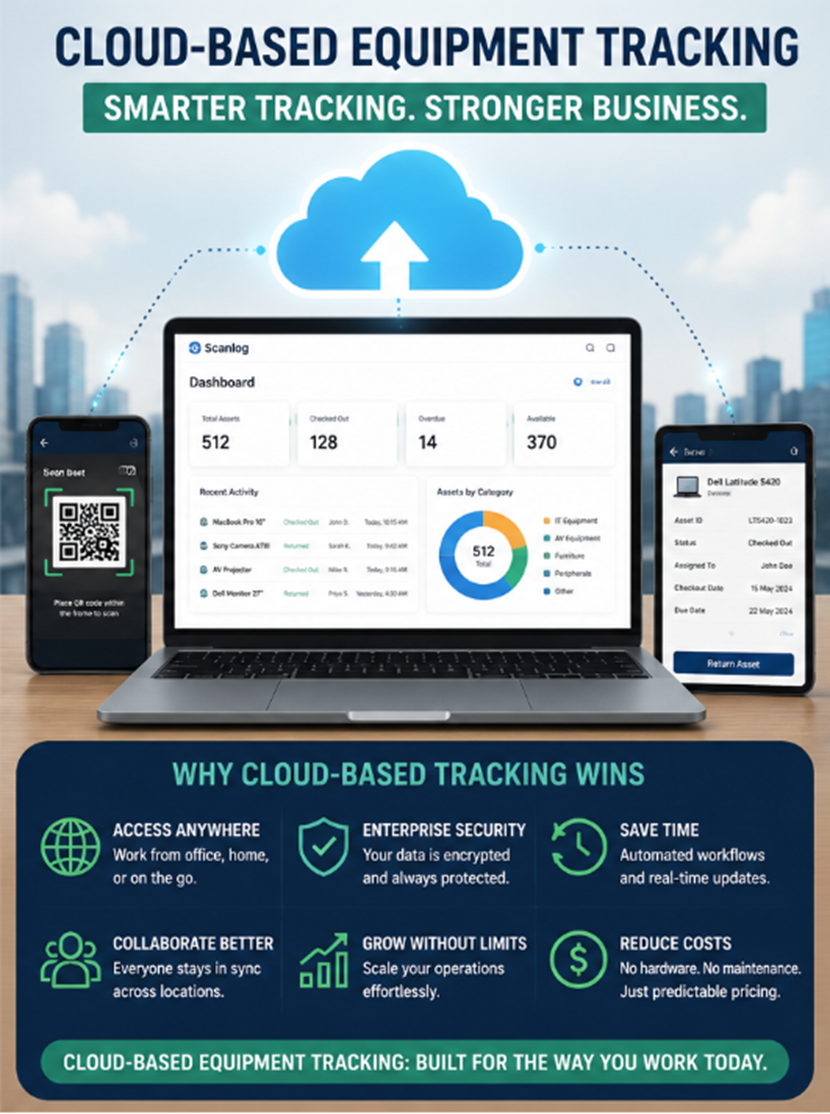
Scanlog is fully cloud-based. Browser-based dashboard, QR code scanning with any smartphone camera, and no software installation required anywhere in the stack. Your team scans to book, scans to check out, scans to return. The audit trail builds itself.
All data is encrypted in transit using TLS and encrypted at rest. Each organisation's data is completely isolated from every other account. Scanlog uses a unique QR code per asset that never changes even if you rename or recategorise the item. Labels printed once work permanently.
Updates deploy automatically. You never schedule a maintenance window. New features appear in the dashboard without any action on your part.
Multi-location support is native. Add a second office, a third site, a remote equipment store. All of it visible in one dashboard with location-based filtering. You see everything. From anywhere.
Security worth noting specifically for IT managers Scanlog uses TLS encryption for all data in transit, encrypts sensitive data at rest, and enforces complete data isolation between accounts. Role-based access controls let you define exactly what each user group can see and do. The Professional plan includes a full audit log covering every action, every change, every user event. Exportable for compliance and incident review. |
The Honest Summary
On-premise had its moment. It made sense when cloud infrastructure was immature and data sovereignty concerns were harder to address remotely. That moment has passed for most SMB use cases. Cloud inventory management software is now more secure, more accessible, cheaper to deploy, and easier to maintain than the on-premise alternative in almost every scenario a typical IT manager faces.
If your current system requires you to be on the network to see it, requires scheduled downtime to update it, or requires an infrastructure investment to scale it, the modern alternative is a browser tab and a subscription.
Scanlog is that alternative. Start the trial this afternoon. You will have your first assets tracked before you finish your next cup of tea.